

If you are just starting out, begin with the quick wins for reducing AWS or GCP costs in the first 90 days before moving to the deeper strategies below.
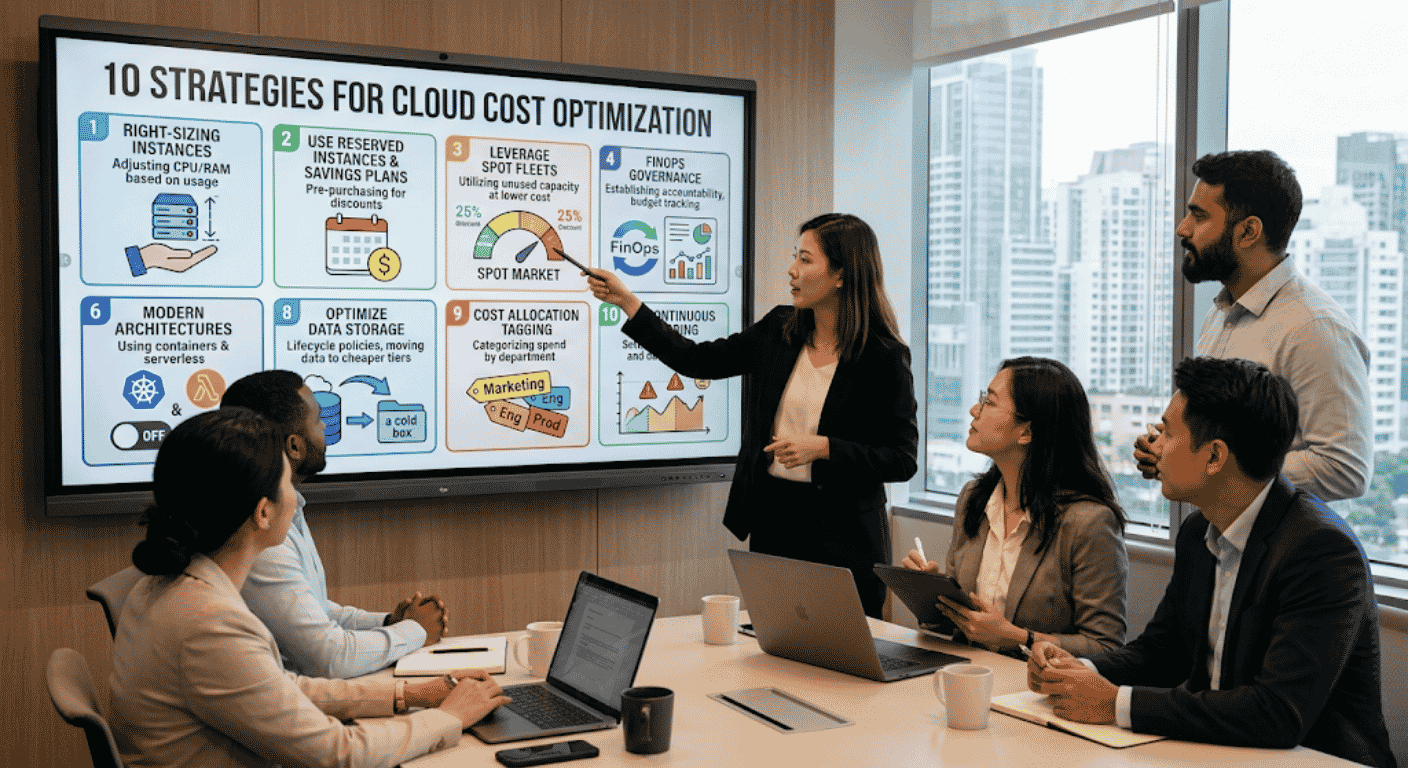
What cloud cost optimization actually means
Above all, cloud cost optimization is the single biggest financial lever that most technology teams ignore. In fact, we have audited cloud environments for organizations across Pakistan, the UAE, and the United States since 2014. As an AWS Advanced Partner and Official Alibaba Cloud Partner, the pattern we see is remarkably consistent: specifically, most teams provision for peak capacity, then forget about it, and consequently pay full price around the clock.
The good news, however, is that cloud cost optimization does not require a complete architecture overhaul. Instead, it requires disciplined visibility, smart purchasing decisions, and automated governance.
The 10 strategies at a glance
| # | Strategy | Typical savings | Time to implement | Complexity |
|---|---|---|---|---|
| 1 | Right-size every instance | 20-40% per instance | 1-2 weeks | Low |
| 2 | Use Reserved Instances for predictable workloads | 30-72% | 1 week | Low |
| 3 | Use Spot Instances for fault-tolerant processing | Up to 90% | 2-3 weeks | Medium |
| 4 | Eliminate idle and orphaned resources | 5-10% of total spend | 1 week | Low |
| 5 | Optimize storage tiers | 40-95% on archival data | 1-2 weeks | Low |
| 6 | Implement auto scaling properly | 30-70% on variable workloads | 2-4 weeks | Medium |
| 7 | Use Savings Plans for flexible commitments | 30-66% | 1 week | Low |
| 8 | Optimize data transfer costs | Up to 75% on inter-AZ traffic | 3-6 weeks | High |
| 9 | Implement cost governance and tagging | Prevents savings erosion | 2-4 weeks | Medium |
| 10 | Automate everything with cost-optimization tools | Sustains 30%+ long-term | Ongoing | Medium |
Why cloud costs spiral out of control
In short, three root causes drive most overspending.
Provisioning for peak
For instance, teams size instances for maximum expected load, which might happen 5% of the time. As a result, the other 95% of the time, they pay for capacity sitting idle.
Lack of visibility
Similarly, without tagging, cost allocation, and regular reviews, no one knows which team, project, or environment is consuming the budget. Moreover, shadow IT compounds the problem.
Fear of downtime
Engineering teams resist downsizing because they worry about performance degradation. Consequently, “just in case” provisioning inflates costs month after month.
1 Right-size every instance
First, right-sizing is the foundation of cloud cost optimization. In fact, AWS CloudWatch metrics reveal that most EC2 instances run below 40% CPU utilization. Therefore, if an instance consistently uses less than 20% of its allocated compute, it is over-provisioned.
How to right-size with AWS Compute Optimizer
To begin, pull 14-day average CPU, memory, network, and disk I/O metrics for every running instance. AWS Compute Optimizer, for instance, provides free recommendations that map current usage to optimal instance types. As a result, we typically find that 40-60% of instances can drop one or two size classes without performance impact.
For example, moving a lightly loaded application from an m5.xlarge ($140/month) to an m5.large ($70/month) saves $840 annually per instance. Across 50 instances, therefore, that is $42,000 in annual savings from this single strategy. Finally, for deeper coverage, see our right-sizing strategies guide.
2 Use Reserved Instances for predictable workloads
First, Reserved Instances (RIs) offer 30-72% discounts compared to On-Demand pricing. However, the trade-off is a one-year or three-year commitment to a specific instance type and region.
Which workloads qualify for Reserved Instances
Still, not every workload qualifies. Specifically, RIs work best for production databases, application servers, and backend services that run 24/7. Therefore, we map each client’s workload to one of three categories: always-on (use RIs), variable (use Savings Plans), or burst (use Spot).
A common mistake, however, is buying All Upfront RIs for every workload. Instead, Partial Upfront or No Upfront options provide flexibility if your architecture changes. As a starting point, we recommend a one-year Partial Upfront commitment for your most stable workloads, then expanding coverage.
3 Use Spot Instances for fault-tolerant processing
First, Spot Instances provide up to 90% savings over On-Demand pricing by using AWS spare capacity. However, the catch is that AWS can reclaim these instances with a two-minute warning.
Best use cases for Spot Instances
As a result, Spot is ideal for batch processing, data analytics, CI/CD build servers, rendering workloads, and development/testing environments. Specifically, we architect Spot Fleets that automatically diversify across multiple instance types and availability zones, thereby reducing interruption rates below 5%.
In addition, combine Spot with Auto Scaling Groups that fall back to On-Demand instances when Spot capacity is unavailable. Consequently, this delivers cost savings without sacrificing job completion guarantees.
4 Eliminate idle and orphaned resources
In fact, every AWS account we audit contains forgotten resources bleeding money.
| Resource type | Why it costs | How to detect | Auto-cleanup tool |
|---|---|---|---|
| Unattached EBS volumes | Pay even when not connected to an instance | Cost Explorer / Trusted Advisor | Lifecycle policy or scripted deletion |
| Idle Elastic Load Balancers | Charged hourly even with zero registered targets | CloudWatch RequestCount metric | Automated decommission via tags |
| Stopped EC2 + EBS + EIPs | Stopped instances still incur EBS and EIP charges | Cost Anomaly Detection | Scheduled termination by tag |
| Old EBS snapshots and AMIs | Per-GB-month charges accumulate silently | AWS Backup audit + tagging | Lifecycle policy with retention |
| Unused Elastic IPs | $3.60/month each; small individually, significant at scale | EC2 console / Trusted Advisor | Scripted release on tag expiry |
The permanent fix: automated tagging
For example, a typical cleanup recovers 5-10% of total cloud spend in the first week. However, the permanent fix is implementing an automated tagging and lifecycle policy. In addition, every resource gets tagged with an owner, project, and expiration date.
5 Optimize storage tiers
First, S3 storage costs vary dramatically by tier. In fact, the price difference between Standard and Deep Archive is 95%.
| S3 tier | Cost per GB/month | Best for | Retrieval fee |
|---|---|---|---|
| S3 Standard | $0.023 | Hot data, active applications | None |
| S3 Intelligent-Tiering | $0.023 (then auto-tiered) | Unpredictable access patterns | None for frequent-tier |
| S3 Standard-IA | $0.0125 | Infrequent but quick access | Per-GB retrieval |
| Glacier Instant Retrieval | $0.004 | Quarterly access, fast restore | Per-GB retrieval |
| Glacier Flexible Retrieval | $0.0036 | Annual access, minutes-hours | Per-GB retrieval |
| Glacier Deep Archive | $0.00099 | Compliance archives, 12hr restore | Per-GB retrieval |
Set S3 lifecycle policies
First, implement S3 Intelligent-Tiering for objects with unpredictable access patterns. In addition, for data you know is rarely accessed, configure S3 Lifecycle Policies: transition to Infrequent Access after 30 days, to Glacier after 90 days, and finally to Deep Archive after 180 days. Similarly, EBS volumes deserve attention: for example, switch GP2 volumes to GP3 for an automatic 20% cost reduction.
6 Implement auto scaling properly
At its core, Auto Scaling sounds simple: add capacity when demand increases, then remove it when demand drops. In practice, however, most implementations are poorly tuned.
Common auto scaling misconfiguration
The most common mistake, for instance, is setting scale-out thresholds too low and scale-in thresholds too high. As a result, if your application scales out at 50% CPU and scales in at 30%, you maintain excess capacity for extended periods.
Instead, we configure target tracking scaling policies that maintain a specific utilization target (typically 65-75% CPU) and predictive scaling that pre-provisions capacity before known traffic spikes. Consequently, combining both approaches delivers responsive scaling without over-provisioning.
Schedule-based scaling for non-production
For non-production environments, meanwhile, schedule-based scaling is even simpler: scale to zero or minimum capacity outside business hours. For example, a development cluster that runs 24/7 costs three times more than one that runs 10 hours per day on weekdays. That alone, therefore, saves 70% on dev/staging environments.
7 Use Savings Plans for flexible commitments
First, AWS Savings Plans offer an alternative to Reserved Instances with greater flexibility. Specifically, Compute Savings Plans apply discounts across any instance family, size, OS, tenancy, or region, as long as your hourly spend meets the committed amount.
This is ideal for organizations with evolving architectures. For example, if you migrate from EC2 to Fargate containers or Lambda functions, a Compute Savings Plan continues delivering discounts. By contrast, an equivalent RI would become stranded.
How much should you commit?
To size a commitment, first calculate your minimum sustained hourly spend over the past three months, then commit to 80% of that amount through a one-year Compute Savings Plan. As a result, this provides a guaranteed discount while leaving headroom for architectural changes.
8 Optimize data transfer costs
In fact, data transfer charges are the hidden killer in AWS bills.
The transfer types that cost the most
| Transfer type | Cost | Mitigation |
|---|---|---|
| Inter-AZ (same region) | $0.01/GB each direction | Co-locate tightly coupled services in same AZ |
| Cross-region | $0.02/GB or higher | Use replication only where business requires |
| Internet egress | From $0.09/GB | Use CloudFront for content delivery |
| NAT Gateway processing | $0.045/GB | Use VPC endpoints for AWS service traffic |
In short, architectural decisions that seem minor can generate thousands in transfer costs. For example, a microservices architecture where services in different AZs communicate frequently can accumulate substantial inter-AZ transfer charges.
9 Implement cost governance and tagging
First, cloud cost optimization is not a one-time project. In fact, without governance, savings erode within months as teams spin up new untagged resources.
Enforce tagging with Service Control Policies
Therefore, we implement a tagging strategy that requires every resource to carry tags for cost center, environment (production, staging, development), project name, owner, and creation date. In addition, AWS Organizations Service Control Policies (SCPs) can enforce mandatory tagging by preventing resource creation without required tags.
Set budgets and assign cost owners
Next, set up AWS Budgets with alerts at 50%, 80%, and 100% of monthly targets. Moreover, create separate budgets per team, project, and environment. Finally, designate a cloud cost owner in each engineering team who reviews the weekly cost report and addresses anomalies within 48 hours. For ongoing support, Sherdil Cloud’s cloud and DevOps consulting includes FinOps advisory that maintains optimization momentum.
10 Automate everything with cost-optimization tools
First, manual optimization does not scale. Therefore, we deploy a combination of AWS-native tools and third-party platforms to automate cost management.
Native AWS cost tools
| Tool | What it does | Cost | When to use |
|---|---|---|---|
| AWS Cost Explorer | Visualize and analyze costs by service, tag, account | Free | Monthly cost reviews |
| AWS Cost Anomaly Detection | ML-based detection of unexpected spend spikes | Free | Continuous monitoring |
| AWS Compute Optimizer | Right-sizing recommendations for EC2, EBS, Lambda | Free | Quarterly optimization passes |
| AWS Trusted Advisor | Identifies underutilized resources, security gaps | Free / Business support | Weekly cost-and-security checks |
| AWS Budgets | Spend tracking with alerts | Free up to 2 budgets | Per-team / per-project budgets |
In addition, for multi-cloud environments spanning AWS, Azure, and Alibaba Cloud, we implement centralized dashboards that normalize cost data across providers. For more on the sustainability angle of this work, see our cloud cost optimization for sustainable IT guide.
Three real Sherdil Cloud client wins
Importantly, the strategies above are not theoretical. In fact, here are three engagements from the past 12 months where each saved a specific client a specific amount.
Six-figure annual savings across three clients
| Client profile | Strategy applied | Before | After | Savings |
|---|---|---|---|---|
| SaaS company running daily ETL | Spot Fleet (Strategy 3) across r5.2xlarge, r5a.2xlarge, r5d.2xlarge instead of three On-Demand r5.2xlarge | $1,460 / month | $219 / month | 85% (~$15k/yr) |
| Media company with 50 TB log archive | S3 lifecycle policy (Strategy 5) moving cold data to Glacier Deep Archive | $1,150 / mo (Standard) | $50 / mo (Deep Archive) | ~$12,600/yr |
| Enterprise with chatty microservices | VPC endpoints + co-located service tiers (Strategy 8) replacing NAT Gateway traffic | $8,400 / mo data transfer | $2,100 / mo | 75% (~$75,600/yr) |
Combined impact
Your cloud cost optimization roadmap
Finally, here is how we sequence the rollout across three phases.
| Phase | Time horizon | Actions | Expected savings |
|---|---|---|---|
| 1. Quick wins | Week 1 | Eliminate idle resources (4), right-size obvious over-provisioned instances (1), enable S3 Intelligent-Tiering (5) | 15-20% of total spend |
| 2. Purchasing optimization | Weeks 2-4 | Implement RIs or Savings Plans for stable workloads (2 + 7), configure Auto Scaling for dev (6), set up cost governance with tagging (9) | Additional 10-15% |
| 3. Architecture optimization | Month 2+ | Optimize data transfer architecture (8), implement Spot Instances for batch workloads (3), automate everything (10) | Additional 5-10% + sustained over time |
Free cloud cost assessment
Our FinOps team will audit your AWS environment, identify the highest-leverage optimizations across all 10 strategies, and project savings for the next 12 months.
Request your free assessment →Frequently asked questions
What is cloud cost optimization and why does it matter?
Cloud cost optimization is the process of reducing cloud infrastructure spending while maintaining or improving performance and reliability. It matters because organizations waste an average of 32% of their cloud budget on unused or underutilized resources (Flexera 2025 State of the Cloud). For example, for a company spending $50,000 per month on AWS, effective cloud cost optimization can recover $16,000 or more monthly ($192,000 annually) that can be reinvested in product development, hiring, or growth initiatives.
How quickly can we see results from cloud cost optimization?
Most organizations see measurable savings within the first week. For example, quick wins like eliminating idle resources, removing unattached EBS volumes, and right-sizing obviously over-provisioned instances typically recover 10-15% of spend immediately. In addition, deeper optimizations like Reserved Instance purchases, Spot Instance adoption, and storage tier migrations deliver additional savings over 30-60 days. As a result, Sherdil Cloud’s clients consistently achieve 30-40% total cost reduction within 60 days.
What is the difference between Reserved Instances and Savings Plans?
Reserved Instances commit you to a specific instance type, operating system, and region for one or three years, offering 30-72% discounts. By contrast, Savings Plans commit you to a specific hourly spend amount (not a specific instance type), offering similar discounts with more flexibility. For example, if your architecture evolves (say, you migrate workloads from EC2 to containers or serverless), Savings Plans continue delivering discounts while Reserved Instances would become stranded. In short, use Savings Plans for evolving architectures and Reserved Instances for stable, predictable workloads.
Can cloud cost optimization affect application performance?
When done correctly, cloud cost optimization improves performance rather than degrading it. For instance, right-sizing eliminates waste but also identifies instances where workloads would benefit from a different instance family (for example, moving a memory-intensive application from a compute-optimized to a memory-optimized instance). In addition, Auto Scaling ensures your application always has the capacity it needs during peak periods while not paying for excess capacity during quiet periods. However, the risk comes from aggressive cost-cutting without performance monitoring. Therefore, Sherdil Cloud always pairs cost optimization with performance baseline measurements.
Is cloud cost optimization a one-time project or an ongoing process?
It must be an ongoing process. In fact, without continuous governance, savings erode within three to six months as teams provision new untagged resources, workload patterns shift, and new AWS pricing options become available. Therefore, we recommend establishing a monthly FinOps review cycle with designated cost owners in each engineering team, automated anomaly detection, and quarterly Reserved Instance or Savings Plan rebalancing.
Sources and further reading
- Flexera, 2025 State of the Cloud Report. flexera.com/about-us/press-center/flexera-2025-state-of-the-cloud-report-reveals
- AWS, Cost Optimization Pillar — Well-Architected Framework. docs.aws.amazon.com/wellarchitected/…/cost-optimization-pillar
- AWS, Compute Optimizer. aws.amazon.com/compute-optimizer
- AWS, Cost Explorer. aws.amazon.com/aws-cost-management/aws-cost-explorer
- AWS, Savings Plans. aws.amazon.com/savingsplans
- AWS, S3 Storage Classes pricing. aws.amazon.com/s3/pricing
- FinOps Foundation, FinOps Framework. finops.org/framework