
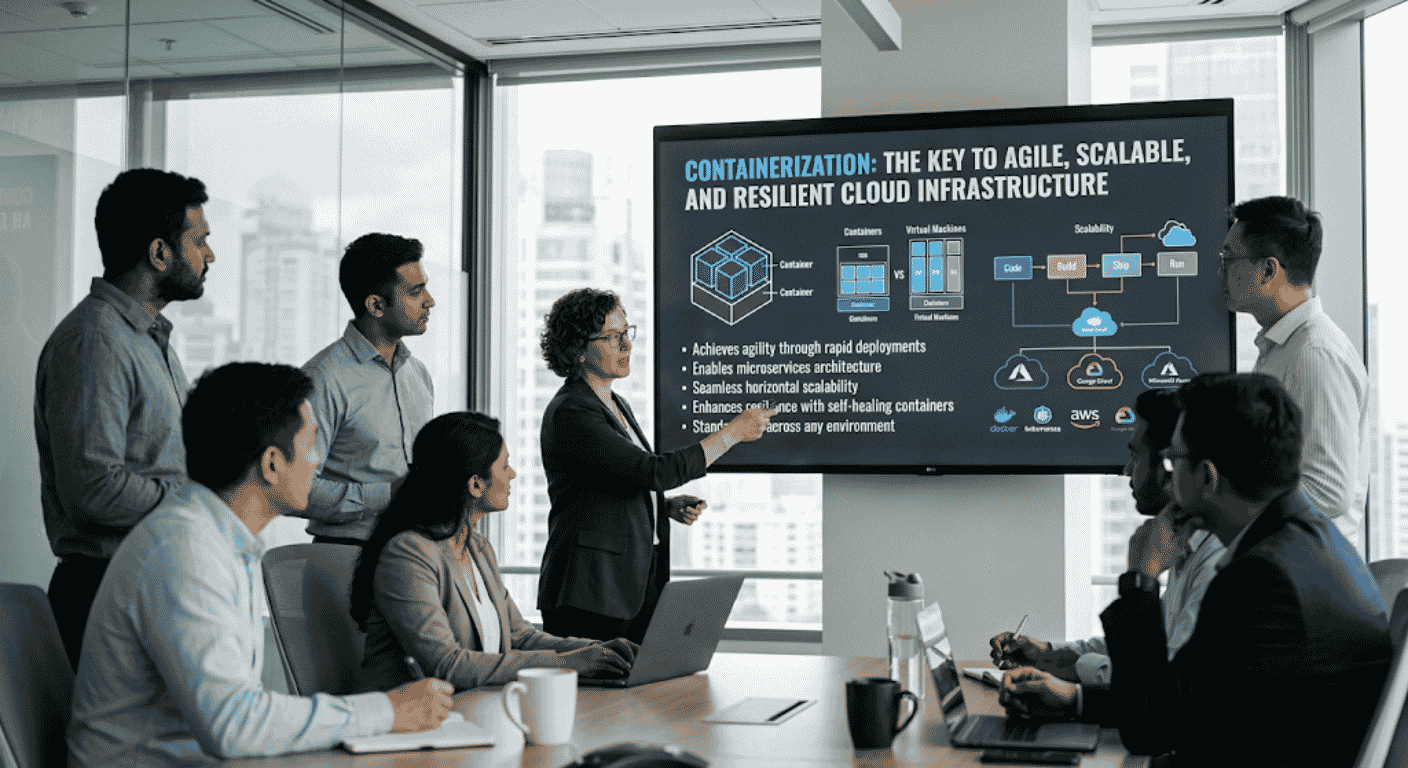
Containers package an application so it runs the same way everywhere, scales on demand, and recovers from failure on its own. That is why they sit at the heart of modern cloud infrastructure. Here is what containerization is, why it makes systems agile, scalable, and resilient, and how Sherdil Cloud builds it for teams across Pakistan, the UAE, and the United States.
Few ideas have changed how software runs as much as containerization. A decade ago, moving an application between a developer’s laptop, a test server, and production meant constant breakage, because each environment was slightly different. Containers fixed that, since they wrap the application together with its libraries and settings so it behaves the same everywhere. As a result, “it works on my machine” stopped being an excuse.
That consistency is only the start, though. Once an application is in a container, it also becomes easy to scale, quick to recover, and cheap to run in large numbers. This guide explains what containerization is, why it underpins agile and resilient cloud infrastructure, and how Sherdil Cloud builds it with teams across Pakistan, the UAE, and the United States. Above all, it keeps the focus on the practical gains rather than the jargon.
What containerization actually is
A container is a lightweight package that holds an application together with the libraries, tools, and settings it needs to run. Because everything travels inside the package, the container runs the same way on any machine that supports it. For example, a container built on a laptop behaves identically on a cloud server, so the gap between development and production closes.
The key difference from older methods is how little a container carries. Rather than bundling a whole operating system, a container shares the host’s kernel and packages only the application layer. Therefore, it starts in seconds, takes up megabytes instead of gigabytes, and you can run many on a single server. This efficiency is what makes the rest of the benefits possible, since cheap, fast units are easy to scale and replace.
Containers vs virtual machines
People often confuse containers with virtual machines, yet they solve the problem differently. A virtual machine copies an entire operating system, while a container shares one. The table below shows how that difference plays out.
| Aspect | Containers | Virtual machines |
|---|---|---|
| What is virtualized | The operating system is shared | The full hardware and OS are copied |
| Size | Megabytes | Gigabytes |
| Startup time | Seconds | Minutes |
| Density per server | Many per host | Far fewer per host |
| Best for | Microservices, scaling, fast delivery | Strong isolation, mixed operating systems |
Neither option is always better, though. Containers win when you want speed, density, and easy scaling, whereas virtual machines still suit workloads that need strong isolation or a different operating system. In practice, many teams run containers on top of cloud virtual machines, so they get both layers working together.
Five ways containerization powers cloud infrastructure
Containerization delivers the three qualities in the title, agility, scalability, and resilience, through five concrete benefits. First, scan the table; then read the notes for what each one means in practice.
| # | Benefit | What it provides | Quality it drives |
|---|---|---|---|
| 1 | Portability | Build once, run on any cloud or server | Agility |
| 2 | Independent scaling | Scale one service without scaling the rest | Scalability |
| 3 | Self-healing | Failed containers restart automatically | Resilience |
| 4 | Resource efficiency | More workloads per server than VMs | Lower cost |
| 5 | Consistency | Same image from dev to production | Faster delivery |
1 Portability brings agility
Because a container carries everything it needs, you build it once and run it anywhere, whether on AWS, Azure, Alibaba Cloud, or your own servers. So moving a workload between providers, or running the same app in several regions, stops being a rewrite. This freedom is what makes a business agile, since it can shift where things run to meet cost, performance, or compliance needs without re-engineering the application. It also reduces vendor lock-in, which gives you a stronger negotiating position over time.
2 Independent scaling
In a containerized system, each service runs in its own container, so you scale only the part under pressure. For example, if checkout gets busy during a sale, you add more checkout containers without touching the rest of the app. Because containers start in seconds, this scaling happens fast enough to follow real demand. As a result, you handle spikes smoothly while avoiding the waste of scaling the whole system just to relieve one busy piece.
3 Self-healing for resilience
When containers run under an orchestrator, the system watches them and acts on its own. So if a container crashes, the orchestrator restarts it; if a whole server fails, it moves the containers to a healthy one. Because this happens automatically, a single failure rarely turns into an outage customers notice. This self-healing is the heart of resilience, and it replaces the late-night manual recovery that used to follow every incident. Our Kubernetes for beginners guide explains the orchestrator that makes this work.
4 Resource efficiency
Since containers share the host operating system and carry only the application, they use far less memory and disk than virtual machines. Therefore, you fit many more workloads onto the same hardware, which cuts the number of servers you pay for. For a business running at scale, this density translates directly into a lower bill. Moreover, because containers are quick to start and stop, idle ones can be shut down and brought back as needed, which saves even more. Our cloud cost optimization guide covers how to capture that saving.
5 Consistency speeds delivery
A container built in development is the exact same image that runs in production, so the surprises that used to appear at release time disappear. Because the environment no longer changes between stages, a deployment pipeline can ship that image straight through with confidence. This pairs naturally with DevOps, since consistent units are exactly what an automated pipeline needs. Our CI/CD pipeline from scratch guide shows how containers and delivery automation fit together.
Containers and orchestration: Docker and Kubernetes
Two names come up constantly in containerization, and they do different jobs. Docker is the tool most teams use to build and run individual containers, so it is where most people start. Once you have more than a handful of containers, however, running them by hand becomes impractical.
That is where Kubernetes comes in. Kubernetes is an orchestrator: it schedules containers across servers, scales them up and down, restarts failed ones, and routes traffic to healthy copies. So Docker packages the application, while Kubernetes runs it reliably at scale. Most production systems use both, because together they cover the full path from a single container to a resilient, self-managing platform. For the deeper walkthrough, see our Kubernetes for beginners guide.
Common containerization pitfalls
Containers reward good practice and punish shortcuts, so a few mistakes show up often. The table below lists them with the fix for each.
| Pitfall | Why it backfires | The fix |
|---|---|---|
| Containerizing a monolith as-is | Wrapping one big app gains little of the benefit | Split into services where it pays off, then containerize. |
| No orchestration | Manual scaling and restarts do not hold at scale | Use Kubernetes or a managed equivalent. |
| Ignoring image security | Vulnerable base images ship straight to production | Use minimal trusted bases and scan every image. |
| Storing data inside containers | Data vanishes when a container restarts | Keep state in managed databases or volumes. |
Image security deserves extra care, because a container only carries what you put in it. Since a careless base image can ship known vulnerabilities to every server at once, scanning images in the pipeline is essential. Our cloud security best practices guide covers building that check into the build.
A real Sherdil Cloud engagement: Dubai food-delivery platform, built to scale
In 2025 we worked with a Dubai food-delivery platform whose single large application strained under dinner-time demand. Every evening, traffic surged, and because the whole app scaled as one block, it was both slow to react and expensive to run. Deployments were risky too, so new features shipped rarely. We containerized the platform and ran it on Kubernetes, and we did it as a co-build, since the team needed to own the result.
Containerizing a monolith for dinner-time demand
| Problem | What we built together | Outcome |
|---|---|---|
| Crashes at dinner peak | Split into services, scaled independently on Kubernetes | Peak handled with no crashes |
| Risky, rare deploys | Container images shipped through a CI/CD pipeline | Deploy time 2 days to 20 minutes |
| High server cost | Higher container density, autoscaling off-peak | Server cost down 41% |
| Slow recovery from failures | Self-healing and rolling updates | Recovery now automatic |
Outcomes after the five-month rollout
How Sherdil Cloud builds containerization with you
We deliver containerization in four stages, and your team takes part in each one. As a result, you finish with a platform your own engineers run, rather than one that depends on us.
| Stage | What we deliver | Typical timeline |
|---|---|---|
| Assess and plan | Review the application, decide what to split, and design the target platform | 2-3 weeks |
| Containerize | Package services into images with secure, minimal bases, with your team pairing | 4-8 weeks |
| Orchestrate | Set up Kubernetes with autoscaling, self-healing, and a CI/CD pipeline | 3-6 weeks |
| Harden and hand over | Add image scanning, observability, and cost guardrails; train the team | Ongoing as needed |
Sherdil Cloud is an AWS Advanced Partner and an Official Alibaba Cloud Partner, with teams across Pakistan, the UAE, and the United States since 2014. Because containers run the same anywhere, we can keep regulated data in-country while running the rest wherever it fits best. If your starting point is an older system, our legacy system modernization guide covers the path to containers.
Build a containerized cloud platform
Our certified architects will assess your applications, containerize the right services, and set up orchestration that scales and heals on its own, all matched to your compliance needs (SBP, NESA, TDRA, PCI DSS, ISO 27001).
Schedule your free consultation →Frequently asked questions
What is containerization in simple terms?
Containerization packages an application together with the libraries, tools, and settings it needs into a single unit called a container. Because everything travels inside the package, the container runs the same way on any machine. As a result, software behaves identically from a developer’s laptop to a cloud server, which removes the environment differences that used to cause breakage.
How is a container different from a virtual machine?
A virtual machine copies an entire operating system, so it is large and slow to start. A container, by contrast, shares the host operating system and carries only the application, so it is small and starts in seconds. Therefore, you can run many more containers than virtual machines on the same server, although virtual machines still suit workloads that need stronger isolation.
What is the difference between Docker and Kubernetes?
Docker is the tool most teams use to build and run individual containers, so it is where many start. Kubernetes is an orchestrator that runs many containers across servers, scaling them, restarting failed ones, and routing traffic. In short, Docker packages the application while Kubernetes runs it reliably at scale, and most production systems use both together.
Does containerization improve resilience?
Yes. When containers run under an orchestrator, the system restarts failed containers automatically and moves workloads off any server that fails. Because this happens without a person stepping in, a single failure rarely becomes an outage customers notice. So containerization replaces slow manual recovery with self-healing that keeps services running through problems.
Should we containerize an existing application?
Often yes, but rarely as-is. Simply wrapping one large application in a container gains little, because it still scales and fails as a single block. Instead, the bigger benefit comes from splitting it into services where that pays off, then containerizing those. The right move depends on the app, so an assessment usually comes first.
Sources and further reading
- CNCF, Annual Survey 2024. cncf.io/reports/cncf-annual-survey-2024
- Docker, What is a container? docker.com/resources/what-container
- Kubernetes, Overview and concepts. kubernetes.io/docs/concepts/overview
- Google, DORA Research Program (State of DevOps). dora.dev/research